An active journal slot tied to your eligible purchase email.
 SELFIE SEEDS™ × HWGROWMeet the growers ↗
YOUR PURCHASE OPENS THE DOORYour grow deserves
Your grow deserves
the spotlight.
Turn those camera-roll updates into a grow story. An eligible Selfie Seeds™ purchase unlocks one extra active journal on HWGrow—and qualifying journal updates can earn rewards toward your next Selfie Seeds order.
For a qualifying published journal update, across all your journals.
Available, finalized rewards can be transferred to Selfie Seeds.
Good to know before you start
A journal credit unlocks journal access. It is not an instant cash or store-credit bonus. Your qualifying activity earns points; your share of the funded monthly rewards pool determines the store-credit value.
A little documenting.
A lot worth sharing.
01 / UNLOCK
Use the same email. Find your journal benefit.
Create an HWGrow account or sign in using the email address from your qualifying Selfie Seeds order. No paid HWGrow subscription is needed for this purchase benefit.
New orders qualify once they are marked Complete. Your benefit is one extra active journal slot per email, even if you place several qualifying orders. Already a paid member? This slot adds to your membership allowance.
When does it unlock?
Sign in or create your HWGrow account ↗After your order arrives, please allow at least 3 days for journal access to unlock. Credits are refreshed weekly after orders are marked Complete, so some orders may take longer.
02 / START
Give your grow a home.
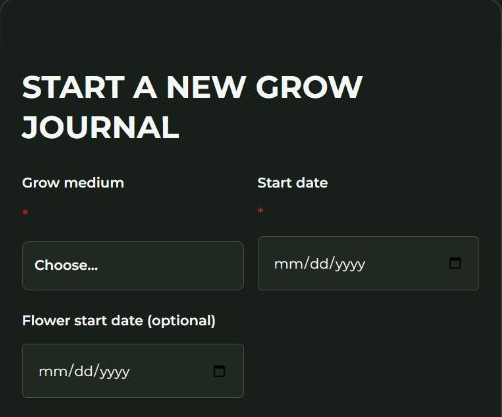
Open My Account → Grow Journal in your HWGrow account and use the start-journal form. Add your grow details so you and other growers can follow the story.
Capture the moments you already notice: the first sprout, a new setup, a surprising leaf, a breakthrough, a lesson learned. A useful journal does not need a perfect garden.
Follow the full start-a-journal walkthrough ↗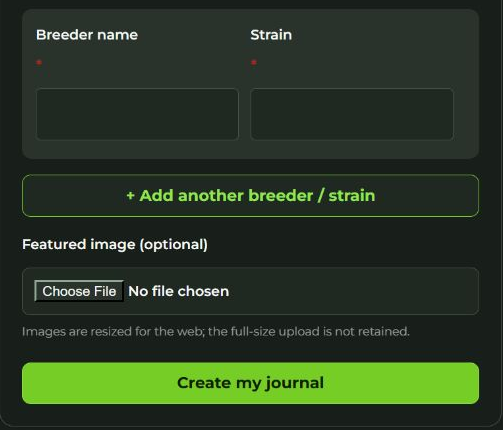
03 / SHARE & EARN
Make your progress count.
Publish a journal update with more than 30 visible body-text characters, a successfully uploaded photo, or a successfully processed video to earn 1 HWGrow reward point, up to 1 point per day across all your journals.
Verified Selfie Seeds journal-credit holders qualify for this daily journal point without a paid subscription. Additional slots do not raise the daily limit. The reward day resets at midnight in HWGrow’s site timezone (UTC).
Video uploads are automatically resized to a maximum of 720p without upscaling. After the resized copy is validated, the original server upload is deleted. A video must finish processing successfully to qualify. Upload limits apply before resizing: photos up to 25 MB; the current video upload/request ceiling is 270 MB, including request overhead. Keep videos below that ceiling and follow the upload form’s supported formats and current limits.
Keep it useful and real: what changed, what you tried, and what you learned. Activity is subject to HWGrow’s qualification and anti-abuse rules.
Read the current earning rules ↗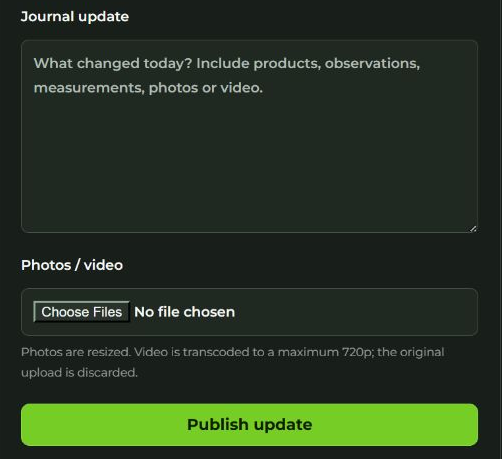
Your next grow could
get a little help from this one.
HWGrow distributes a funded monthly rewards pool according to qualified points. Your current-month number is an estimate—not an available balance. Once the month closes and the pool is finalized, your credited reward becomes available to redeem.
Your qualified points÷All qualified community points×That month’s funded pool
There is no fixed dollar value per journal post or point. Pool funding, community activity, qualification checks and finalization affect the amount. Rewards are promotional store-credit value, not cash.
From HWGrow balance
to Selfie Seeds credit.
04 / REDEEM
Transfer available rewards.
- Sign in to HWGrow and open My Account → Rewards.
- Check your available rewards balance. Current-month estimates must be finalized first.
- Use the redemption controls when an available balance can be redeemed. The destination is your signed-in HWGrow account email, so your Selfie Seeds customer account must use that same email. The minimum transfer to Selfie Seeds is $5 from your available rewards balance. Review the amount and the current redemption requirements before submitting.
- After a successful transfer, sign in to that Selfie Seeds account to use the promotional credit under the store’s checkout rules.
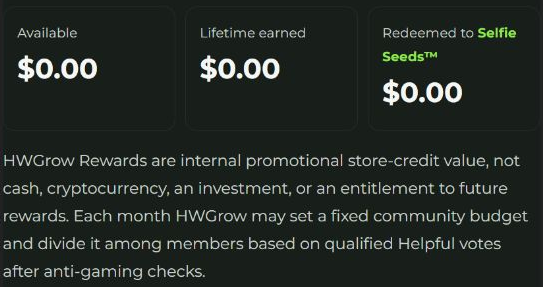
Only submit when you intend to transfer your balance. The live balance screenshot shows $0 available, so this account has no redemption form to submit. No transfer was made for this guide. Holds, corrections and reversals may apply under the rewards rules.
Already transferred your rewards?
View your Selfie Seeds account transactions and check that you are signed in with the email used for the transfer. If something looks wrong, Contact Us before requesting another transfer.
Step-by-step guide: transfer rewards and use your store credit ↗
When your balance is available: choose “Send to Selfie Seeds.”
Enter the amount you want to redeem in the Send to Selfie Seeds panel, check the linked email, then select Transfer to my Selfie Seeds store credit. The separate “Transfer to another member” panel is for a different destination.
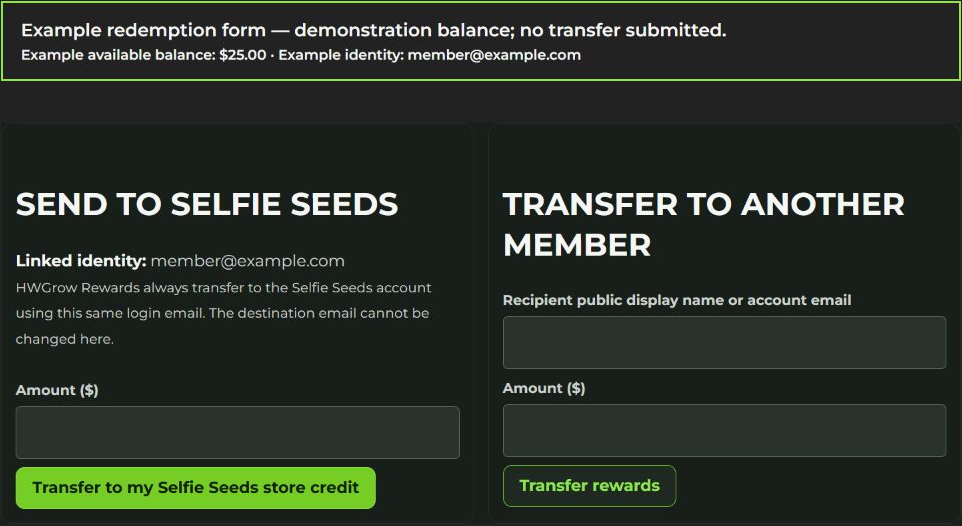
This labeled example illustrates the real form implementation. It is separate from the live account screenshot above and does not show a successful transfer. Follow the current requirements shown in your account.
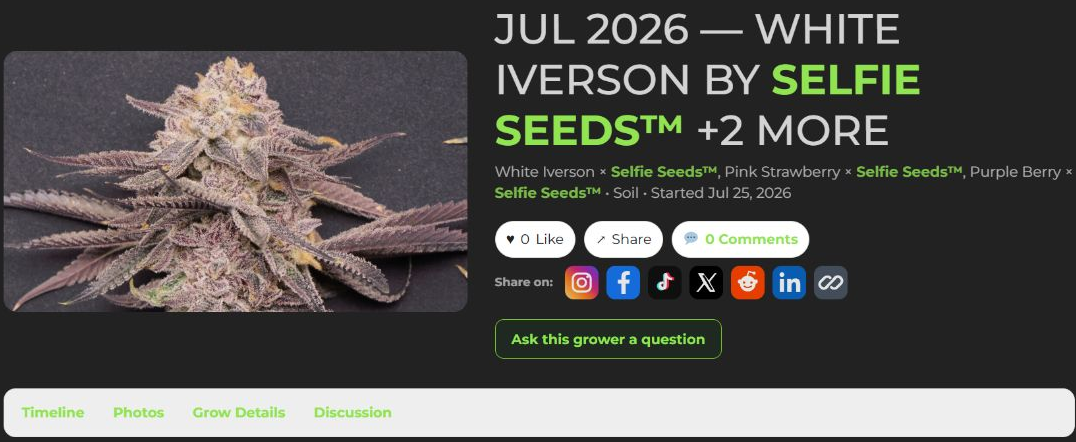
DON’T LEAVE YOUR BEST GROW IN YOUR CAMERA ROLLGive the growmies
Give the growmies
something to talk about.
Tell the full story in your HWGrow journal. Got a standout Selfie Seeds photo? Submit it to our grower gallery, too.
Gallery submissions are reviewed for display. Uploading to the Selfie Seeds gallery alone does not earn the HWGrow daily journal point; publish a qualifying update in your HWGrow journal.
The quick answers.
Do I need to buy an HWGrow membership?
No. A verified Selfie Seeds purchase benefit provides one extra active journal slot and eligibility for the daily journal point without a paid HWGrow subscription. It does not unlock every paid course or other membership benefit.
Is each purchase another journal slot?
No. The purchase benefit is capped at one extra active slot per eligible email. It adds to any journal slots included in a paid HWGrow membership.
What if I checked out as a guest?
Use the same purchase email for your HWGrow account so the verified benefit can match. You also need a Selfie Seeds customer account to receive and use transferred store credit.
Do I get money just for opening a journal?
No. Access and reward points are separate. A qualifying published journal update can earn the daily point; finalized rewards depend on your share of the funded monthly pool. They cannot be withdrawn as cash.
What if my order was canceled or refunded?
Canceled, denied, voided and refunded orders do not qualify for a journal purchase credit. Benefits and reward transfers can be corrected when an order or activity becomes ineligible. Another qualifying order may preserve your eligibility.
Where are the full instructions and current rules?
Read How to start and update your HWGrow journal and HWGrow Rewards: how it works. These guides explain the current controls, qualification rules and redemption process.